OSTEP: Chapter 39
Motivation
A hard concept to understand at the beginning: naming is one of the (if not the) most important issues in systems design.
We know that files can be identified by their inodes (or other type of file descriptors), and we can specify an inode by its i-number, index into the inode table (or other file table, like Master File Table on Windows), but that is not a reasonable way for users to name files.
So, the concept of a directory was developed whose basic job is to server as a map:
filename → inodeDirectories are just tables that contain one entry per file, containing the file name and inode number or pointer. Remember that other important information about a file, such as the owner (creator) of the file, size of the file in bytes, and time stamps (like create, use, and modify times) is contained in the file descriptor (inode).
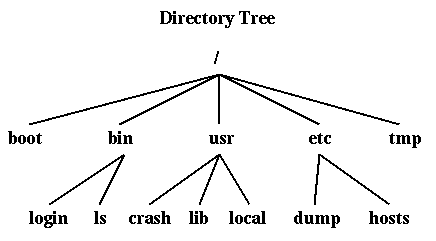
Suddenly, we have a directory tree (or graph) and file path names. When Thompson and Ritchie designed UNIX, they took many important ideas from Multics, including the directory tree, but pared them down to a simpler and more usable system. All modern operating systems follow this approach.
Unix approach: generalize the directory structure to a tree.
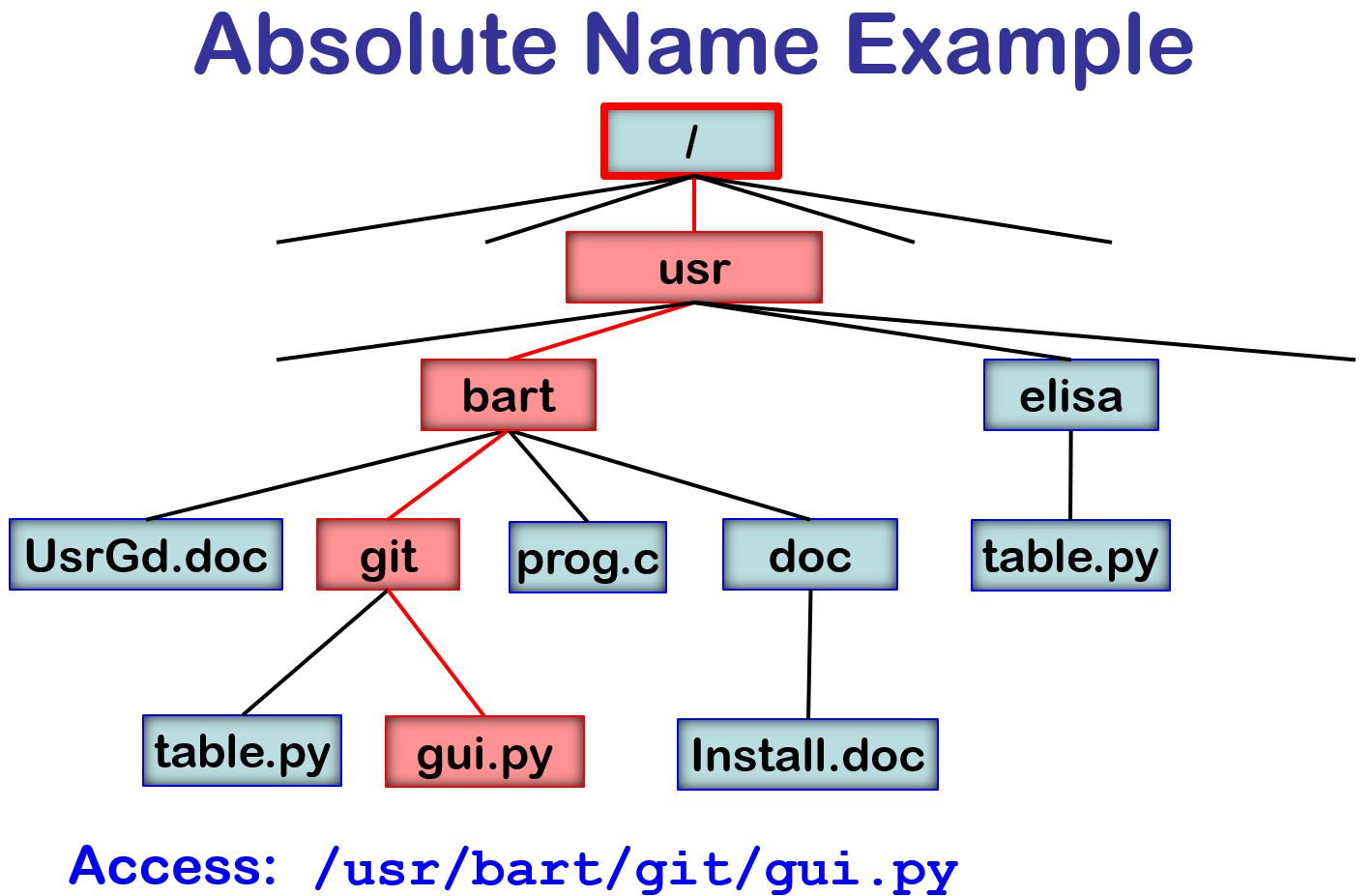
/usr/bart/git/gui.py
C:\Users\bart\dev\codescanner\src\ktree.C
prog.cNote that each directory has two standard entries:
./UsrGd.doc
git/table.py
git/../doc/Install.doc
../elisa/./table.py
| . | Points to the current directory. | ||
| .. | Points to the parent directory. |
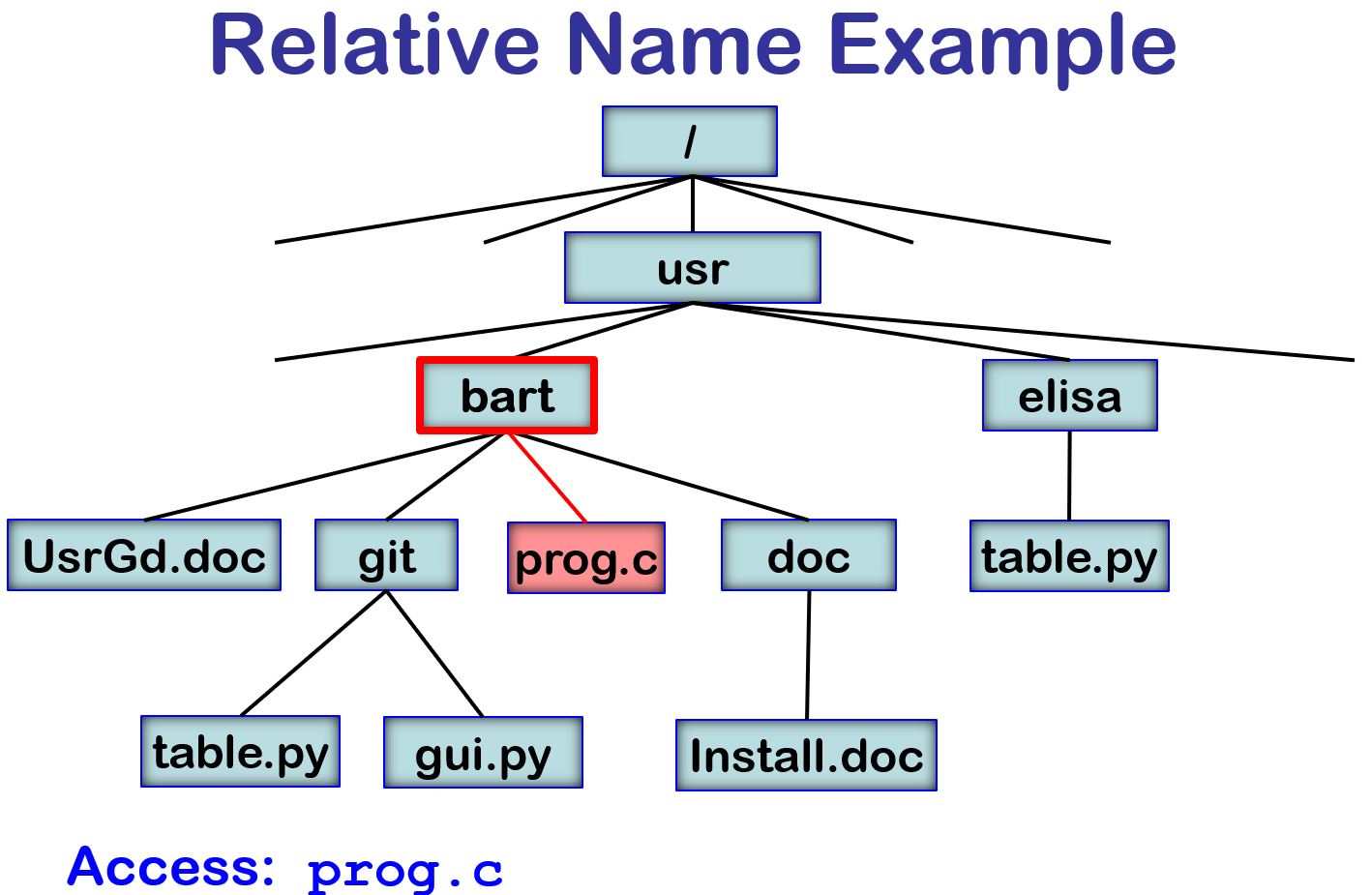
Consider the follow code sequence:
chdir("/usr/bart");This seqence would result in opening /usr/bart/prog.c
infile = open ("prog.c", 0);
Search Paths
When you are typing commands in a shell, you just type the name of the command,
like "ls".
It is the shell, not the file system, that makes it possible for the file for
that command (such as /usr/bin/ls to be found.
The shell mainains a user-define variable that lists the names that of the directories that will be searched for the command named. For example, you might set that path variable with a command like:
set path=(. ~/bin /s/std/bin /bin /usr/bin)This command tells the shell that when you type "ls", first search your current working directory ".", then "bin" in your home directory, then /s/std/bin and so on.
This set of directories is called the search path.
This is convenient when working on large
systems with many different programmers in different areas.
Putting it All Together: Directories and Inodes
We have learned two important ideas:
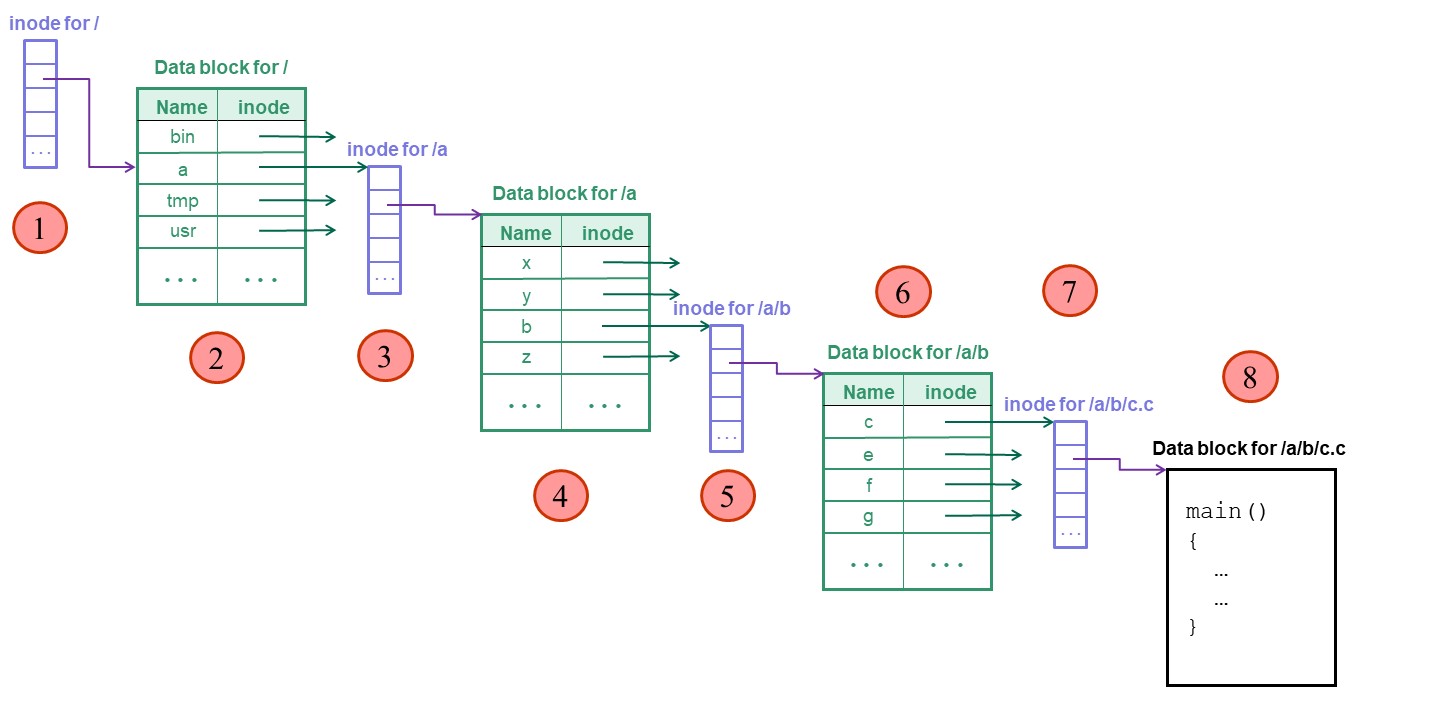
infile = open ("/a/b/c.c", 0);Let's look at the steps that the operating system goes through to open the file and read the first bytes in the file. Notice the numbers (in the circles) that mark each disk I/O operation.
rv = read (infile, buff, 512);
We find the inode for the root directory because it is in a standard position, as one of first inodes on disk.
For simplicity, we will assume that the contents of each directory is small
enough to fit in one data block.