Drawing Using Iteration
What we'll cover today:
- Using iteration to solve problems
- Writing for and while loops
Iteration in Turtle World
You are all probably too young to remember the Turtle program in old Macs, so Welcome to Turtle World! A turtle is basically a very small cursor (you won't even be able to see it) that can draw lines. Today we'll be using a turtle to draw polygons and polygon flowers.
The basic layout of the application, as you can see below, is one pane for specifing parameters to the turtle and the other pane to actually see what the turtle draws. The application works similarly to the maze application in that to run your program (once you have written it) you press the run button at the bottom of the screen. To then reset the window to be blank again, press the reset button.
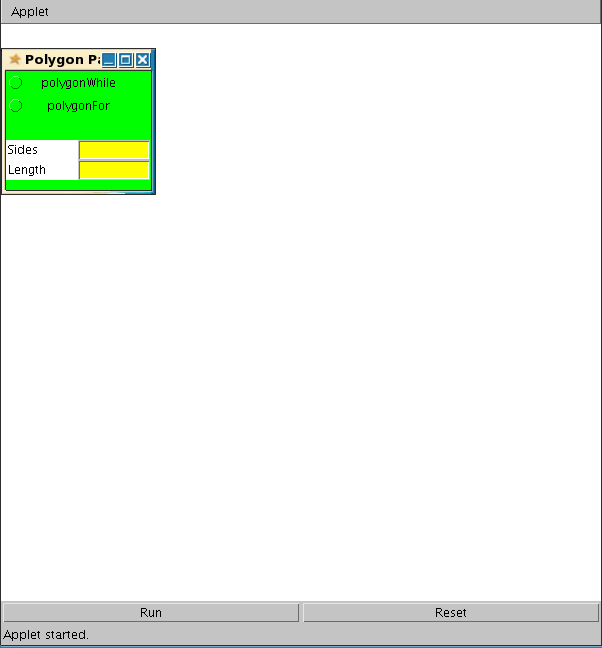
Turtle World Methods
Your introduction to turtle world would not be complete, of course, without a description of the methods that you will need to use in this lab. Here are the methods at your disposal:
forward(int length) - This takes an int (or double) parameter and moves the turtle forward by that many pixels.
left(double angle) - rotates the turtle to its left by the angle amount.
right(double angle) - rotates the turtle to its right by the angle amount.
In this task, you will be fleshing out skeletons for various methods
defined in the PolygonMaker class within
PolygonWorld.java (make sure to scroll down, it is located at the bottom of the file).
Exercise 1. Polygons
For this exercise, you will program turtles to draw regular polygons. A regular polygon has sides of equal length and angles of equal length, as shown in the following images:
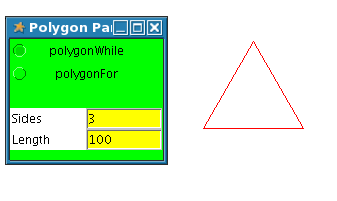
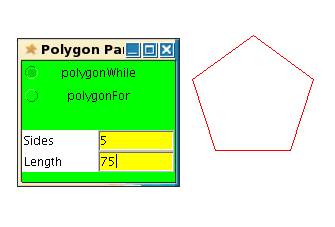
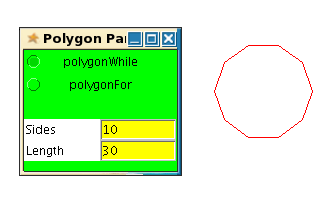
We will draw these polygons using the two strategies for expressing iteration:
- A while loop.
- A for loop.
A turtle can draw a polygon by repeatedly drawing a side and then
turning by an angle of (360.0/sides),
until it has drawn the specified number of sides.
Flesh out the bodies of the polygonWhile() and polygonFor() methods.
You can test your methods by selecting the appropriate checkbox in the Parameter window before pressing the Run button in the Turtle window.
Exercise 2. Polygon Flowers
Now that you can draw a polygon, you can use this method to draw a polygon flower. A polygon flower is defined by the number of petals and the number of sides of each petal. Each petal is a regular polygon, and the petals are rotated with respect to one another. The angle of rotation is equal to (360.0/petals). Some sample flowers are as follows:
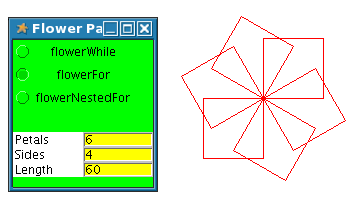
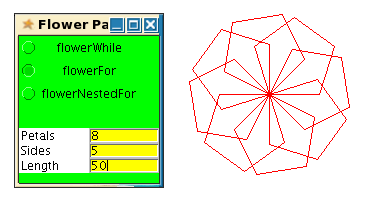

As with the polygon, we will write methods to draw these flowers using for loops and while loops. Fill out the skeletons for:
- flowerWhile()
- flowerFor()
Test out your methods by running FlowerWorld.java from Eclipse and selecting the checkbox corresponding to the method you want to test.
Exercise 3. Nested for loops
Now, just for practice, we will write a method to draw these flowers using a nested for loop. For this method, do not make use of the Polygon methods you wrote in the last section. Fill out the skeleton for flowerNestedFor().
Test out your method by running FlowerWorld.java from Eclipse and selecting the checkbox corresponding to the flowerNestedFor method.
Thanks to Wellesley College for creating this lab (cs.wellesley.edu)
Changes made for CS302 UW-Madison by Chloe Schulze