Page 13: Graphics101: Some Foundations
Spring 2026 Sample Solution
Before we can start doing graphics programming, we need to talk a little bit about some basic graphics terminology.
Historically, we discussed this in lecture. So the videos are the best place to get the information. I include links to the 2023 segments.
The key concepts that you should understand:
- Raster (image-based) vs. Vector displays - almost all displays you will encounter nowadays will work by deciding the colors for each dot in a grid.
- When we think about pictures, we can either think about them as grids of dots, or as collections of simple objects (that we call primitives).
- Even if we represent pictures as primitives (and program our picutures as primitives), eventually they will need to be converted to colors on the grids. The process is called rasterization. Sometimes the term rendering is used for these kinds of conversations, but in graphics we often reserve the term to mean creating high-quality 3D images.
- We often “draw” in 3D by converting things into 2D. Ultimately, it will just be pixels on the display anyway.
- Color is complicated. Simple version: in class we’ll represent it by three numbers: the amount of red, green, and blue light to blend together.
How we see
I define computer graphics as the study of how we make computers create the things we see. So, it makes sense to understand a little bit about how we see. Human visual perception is a whole field unto itself.
Here’s a brief lecture segment:
The main takeaway is that human visual is predominantly a 2D phenomenon: we see in 2D (maybe, a little more), and our brain infers 3D. We’ll talk about that more later in the semester when we program 3D graphics.
What this means is that we focus on pictures: representations of 2D spaces with colors. It’s what we show on displays.
Think of a painter: they make 2D elements (brush strokes) to make pictures of (3D) scenes in the world. Or sometimes they make pictures that don’t correspond to 3D scenes.
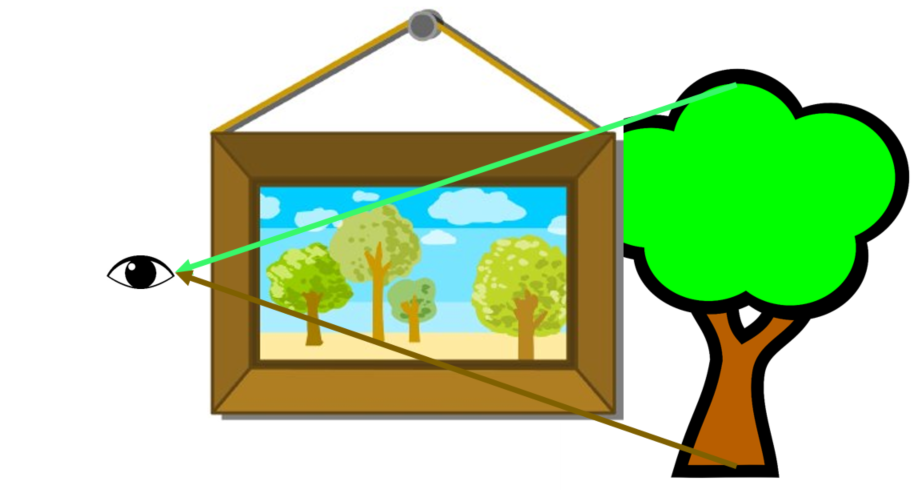
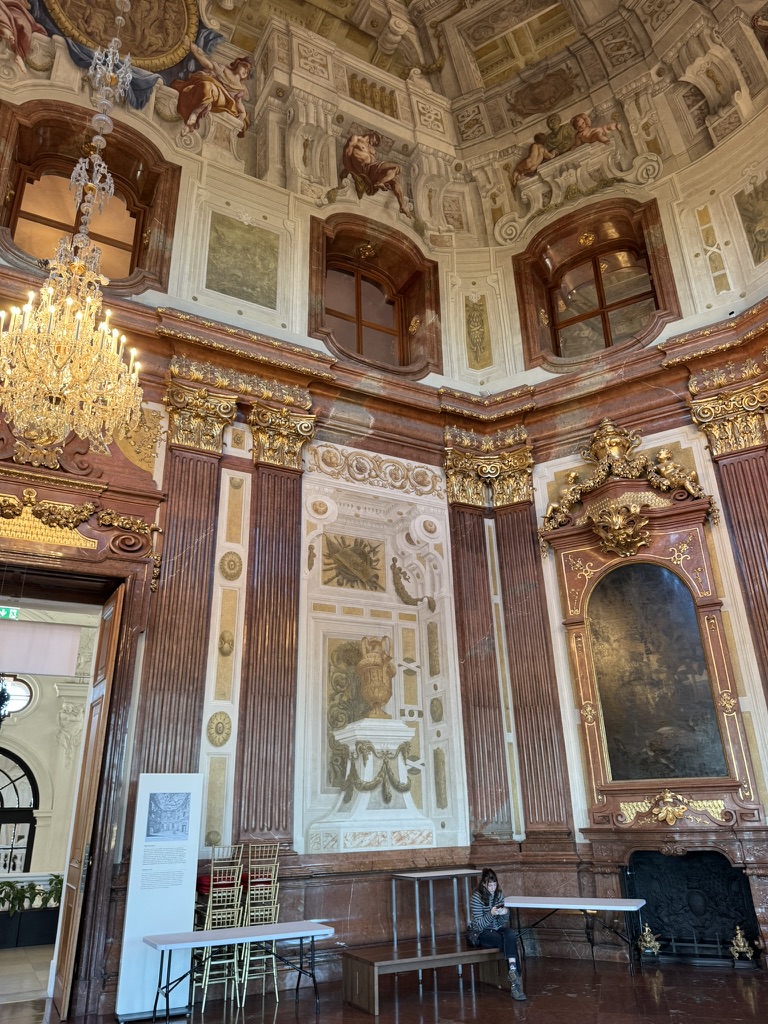
Can a painting fake us out? The old lecture had some fun examples of things drawn onto the ground.
Or, check out this picture from Belvedere Palance in Vienna:
Raster vs. Vector
These are archaic terms, but they get at a core concept: whether we represent an image as a fixed grid (a raster) or as variably positioned geometric elements (vectors).
It should be simple: if you represent a picture as a grid of dots (where each dot has a color), it’s a raster (or image-based representation). If you represent a picture as a collection of geometric objects, it’s vector (or primitive-based, or object-based).
Being precise about the meanings of these is where it gets complicated. Does it have to be a rectangular grid? Aren’t dots geometric objects? It is more meaningful to define things more precisely, but that gets tricky.
The terms raster and vector date back long ago in history to refer to types of displays. Raster displays like (standard) CRTs and dot-matrix printers divided the space of a picture into a fixed grid. A computer could control the color of each grid point, but their positions are fixed.
In contrast, vector displays could draw lines anywhere. As far as I know, all vector devices drew lines (or points, which are just short lines), which is why they are called vector devices. A robot arm holding moving a pen around a piece of paper is a vector display: it can draw a line anywhere. The devices that worked like this are not common (and never really were). Examples include pen plotters, laser light shows, and caligraphic CRT displays (where the eletronic gun is controlled to aim it at various places on the screen). We do not see these very often any more (unless you collect early 1980s arcade games).
A vector device could draw the same set of dots that a raster display would show. However, the more important idea is representation: the raster display fixes the geometry (where the “dots”) and the picture only specifies what color each one is. In contrast, the vector display draws primitives (lines), where you can control where the primitives are (and what color they are). The vector representation can have as many (or as few) primtives as the picture needs. The raster representation has a fixed size.
This lecture segment describes raster vs. vector in more detail:
Part of 2023 Lecture 3 | Slides
It is also discussed at: CS559 Tutorial: Image-Based vs. Object-Based Graphics.
Images
With an image-based representation, we specify color measurements at fixed, pre-determined positions. These kinds of pictures are important: its what a digital camera would take, and what a standard display (CRT, LCD, Projector etc) ultimately requires.
Technically, the fixed positions do not need to be a rectangular grid. For the purposes of class we will always think about rectangular grids.
Each color measurement in an image is a pixel. Generally, we prefer to define the pixel as the color measurement at a specific place. Read CS559 Tutorial: What is a Pixel to understand this. A pixel is not a little square (or a dot): it is a measurement at a fixed location.
Image-based representations are really important. It is ultimately what our display shows us (we must render objects into pixels). The prevalence of images (from digital cameras) makes being able to handle them important. And most Generative AI systems work on pixel representations.
Originally, CS559 spent a lot of time talking about images. When I first created CS559, I made it 1/3 of the class! (see 1999 Course web, or 2000). It’s not that they aren’t important: in fact, they are so important, that you can learn about them in other classes.
We will talk about images when we learn about texturing later in the class (using images to give fancier appearance to our 3D objects).
We will talk a little bit about how the geometric shapes (lines and triangles) are converted into pixels. In general, we don’t need to implement this ourselves (because it is implemented by the hardware or system software). But the algorithms are interesting, and understanding them can help us use them better. We’ll discuss rasterization when we study graphics hardware.
Primitives
Modern graphics systems generally handle more types of geometric objects than just lines. While they ultimate turn objects into pixels, the programmer usually works in terms of the geometric objects.
We use the term primitive to refer to the basic geometric objects that a system supports. Programs can make more complicated shapes as collections of primitives. In some 3D systems, the only primitive is a triangle: it is the programmer’s job to turn more complicated shapes into triangles.
Color
Color is complicated because it mixes the physics (how light works), biology (how our eyes measure light), psychology (how we interpret those measurements), engineering (how we create devices to fake our our eyes), and art (what we want to be able to show).
We will discuss color in more detail later in the semester (I hope - it’s a topic I find fascinating, but it is often one that gets cut out).
As a practical matter, we will generally describe colors in terms of how our displays create different colors. Most computer displays work by mixing red, green, and blue light together. Because of how the human eye works, our visual system doesn’t see mixes of colors: it sees combinations of colors as distinct colors. Red and green looks yellow (not “reddish green”). It’s more complicated than that (Tristimulus theory). But, you can create almost all colors we can see by mixing red, green and blue (for most people, and most colors).
In practice, most of the time in Computer Graphics, it is sufficient to describe colors in terms of the amount of red, green, and blue light to mix together to make the color. Three numbers: R, G, and B.
We usually describe the amount of each color as a percentage of the maximum brightness. So, (1,1,1) means 100% of the brightness of red, green and blue. (.5,.25,0) is red being 50% of its max brightness, green 25%, and blue being completely turned off.
Because of the limits of human vision and displays, 256 steps is usually sufficient. And it is convenient (since the numbers can fit into an 8-bit number). So we often write colors as 3 short integers from 0-255, and interpret them as fractions (the denominator is 255). Note: the denominator is 255 (so that the largest 8 bit integer, 255, represents 100%).
We could write three small numbers in decimal. But that could take up to 9 digits, and require punctuation. So, rather than writing (255,255,255) we often write colors as 6 hex digits (2 for red, green and blue). The web formats require that you put a hash mark “#” at the beginning of a hex string to denote that it is a hex string color. So, “#FF0000” means the RGB triple (255,0,0), which means red. There is a cheating syntax where you give just a 3 digit hex number. In this case, its the same as repeating each digit. “#F00” is the same as “#FF0000” which we just explained.
Here is a gadget (Gemini wrote this) to let you play with RGB values using sliders. You’ve seen gadgets like this before, but some things I’d like you to notice:
- 100% is 255, not 256. 127 and 128 both round to .5 (since the program rounds to 2 digits), but they are 127/255 and 128/255
- RGB isn’t very intuitive. You can’t say “more brownish” or “a purple that is just as deep as this one is green”
view - look at the box and experiment with it
examine - look at the code for the box
edit - change the box's content
rubric - several steps are suggested in the rubric page - form elements on page in rubric
01-13-01.html
Sometimes you will see a fourth number: an alpha (or transparency) value. We’ll discuss transparency on a future page. If you see an 8 digit hex color string, it is RGBA (the last 2 digits are the opacity - FF or 100% means the color is solid).
Using this
OK, now that we know that we are going to program with primitives and represent colors using RGB, we can talk about the programming interfaces (APIs) we will use on the next page.
Next: Page 14 - Web Graphics APIs