


Arm motion is controlled with the computer mouse, in two separate modes - joint-mode and tip-mode [7]. The former allows control of individual joints by positioning the pointer closer to one of the joints and pressing the left mouse button, which causes the selected joint to move and align with the pointer. The tip-mode allows control of the endpoint through the use of the middle mouse button; computer software then calculates the corresponding joint angles of the links and positions them accordingly.
In the joint-mode, the algorithm computes a unit vector which describes the straight-line direction from current configuration to specified target configuration. Assuming the configuration does not violate step constraints (if the distance to it is larger than the configured step size, a new target is computed by multiplying the direction vector by step size), the new configuration becomes the specified configuration. In tip-mode, the direction vector describes the new position of the arm endpoint (again, subject to step constraints), and so one needs to recover the new arm configuration from the endpoint position (x, y). This is done via the inverse kinematics equations:
The current arm configuration is used to resolve multiple solutions that are given by the inverse kinematics. The final step in either motion mode is to determine if the new configuration would place the arm in contact with the obstacle and, if so, disallow the movement and wait for further operator input. Figure 4 shows an example of average human performance in W-space motion control; the dotted line is the trajectory of the arm endpoint along the way from S to T. The path length is the integral of changes in both joint angles along the way.
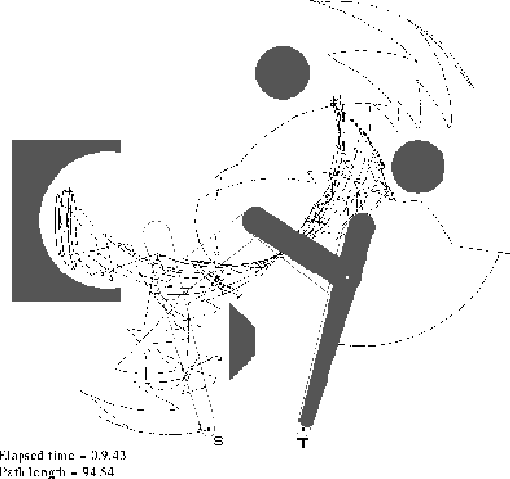
Figure 4: An example of average human performance in W-space motion
control.
