Page 1: Introduction: Welcome to 3D
Spring 2026 Sample Solution
Welcome to the third dimension…
The goal of this page is to set the stage for learning about 3D graphics programming. We’ll try to set up for what is coming. Make sure that everything here works, and you have a sense of where we are going.
2023 Lecture 12 gives a quick introduction to 3D, followed by a walkthrough of how we use the three library in class.
A First Check… Do things work?
Just to make sure that things work, here is a simple scene made with the THREE library. You should see a spinning green cube. We’ll look at the code later.
If you don’t see the picture (a spinning green cube against a black background), something is wrong. Fix it before going forward. There are many things that can go wrong - and it is better to sort them out now.
This demo relies on a library (three.js) that is not built into the web browser. We are getting the library from a server on the web (a “Content Distribution Network” or CDN). I will often refer to three.js as three.
Some things that are going on here…
- We are using a library that is not built into the browser (three) that we need to fetch over the internet. This might take some time to download the first time, but the browser should cache it so it is quick in the future. Also, you must be connected to the internet in order to download the library from the server.
- Three uses APIs built into the browser to draw things. This program has Three use a built-in API called WebGL. All modern browsers (including cell phones) support WebGL. But something can still go wrong (such as it not being enabled).
- Our program doesn’t actually know where three is coming from. We instruct the browser (in the HTML page) where the library is using an
importmap.
If you don’t see a spinning green cube, something is going wrong. Fix it now (come to office hours, post on Piazza, …).
Is this really 3D?
What you actually see in the frame is a bunch of moving shapes. Each shape is a quadrilateral with a different color of green. But, your brain is probably interpreting it as a spinning cube - a 3D scene with 3D motion.
The question is: why is this 3D? This involves both the perception side (what about these pictures makes our brains think it’s 3D) and the implementation (how we create pictures with features that our brains interpret as 3D).
A little about human perception…
The concepts here are introduced in the old lecture video:
Part of 2023 Lecture 12 | Slides
We more or less see in 2D: the image that light makes on the retina (the part of our eye that measures light) is 2D. We can think of the eye like a camera: the picture it takes is basically 2D - it measures light (photons) that come in on a 2D surface. It’s just that in the eye, the surface is curved, rather than the flat sensor of a camera.
We measure the amount of light that comes in and where it comes in. We don’t measure how far it has traveled.
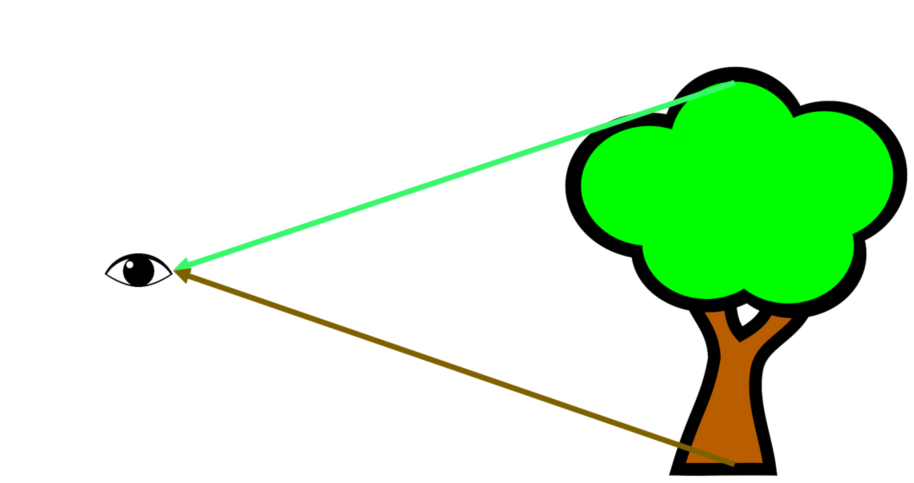
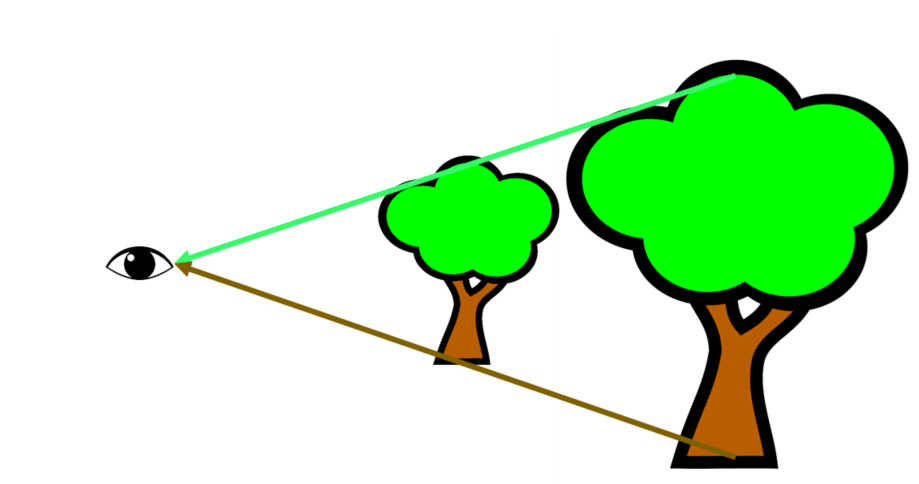
Because of that, we can’t rely on direct sensation to figure out distance. Something closer could fake us out.
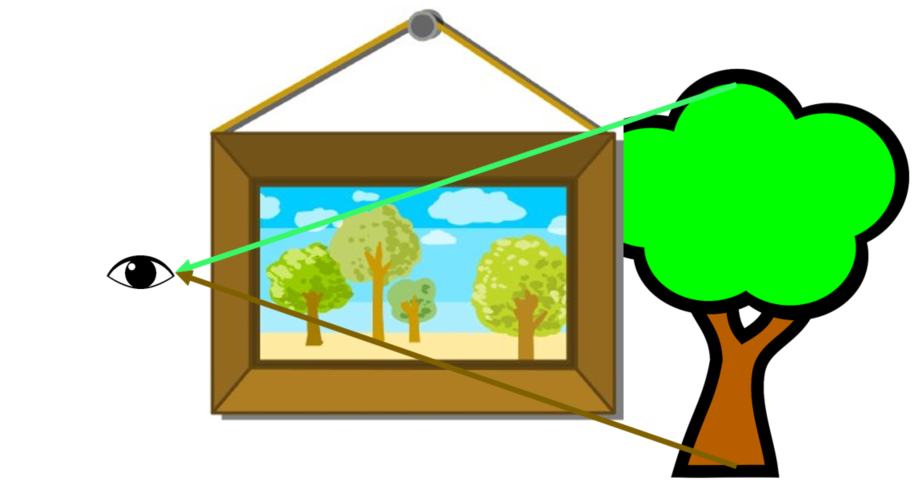
Taking this a step further, if we are looking through a window (or at a picture), we (generally) can’t know if the light comes from an object at a distance, or light starting at the window or picture.
I said more or less, because our eyes (or cameras) can give us a little more information than just the 2D pictures:
- We can choose how to focus the lens of our eyes (or the camera), and use that to measure where something is. For eyes, this is called accommodation.
- We can move our heads. The change in viewpoint gives us clues about how far things are.
- We have two eyes. By comparing what we see in each one, we can infer a little about depth. This phenomenon is called stereo vision. There are two types of stereo effects: vergence (our eyes point in different directions), and disparity (the images they see are different).
These are generally weak effects. Our brains’ interpretation of individual images is the primary way we “see” in 3D. I’ve heard it described as we see in 2.1D, and our brains extend it to 3D (in this perception book).
We see by sensing in 2D. Our brains interpret things as 3D.
Faking 3D
If we are only making one picture, what do we need to do to trick our brains into interpreting the picture as 3D? (The same things will apply if we are making 2 pictures for stereo.)
Before answering that, let’s look at some compelling evidence that we can be “faked out”. Not that we’re fooled into thinking things are real, but that our brains can be tricked into making the 3D interpretation.
My favorite examples to show in class are from the amazing “pavement” (chalk on roads/sidewalk) artist Julian Beever. You have to see it to believe it. For copyright reasons, I can’t include much - but check it out at this gallery.

Pavement art by Julian Beever. From his website, used under academic fair use.
For a more historical example, here is a picture I took at Belvedere Palace in Vienna. This shows that back in the 1800s, artists were already good at this. The technique of “faking 3D” by painting cues is called trompe l’oeil (pronounced tromp-loy).
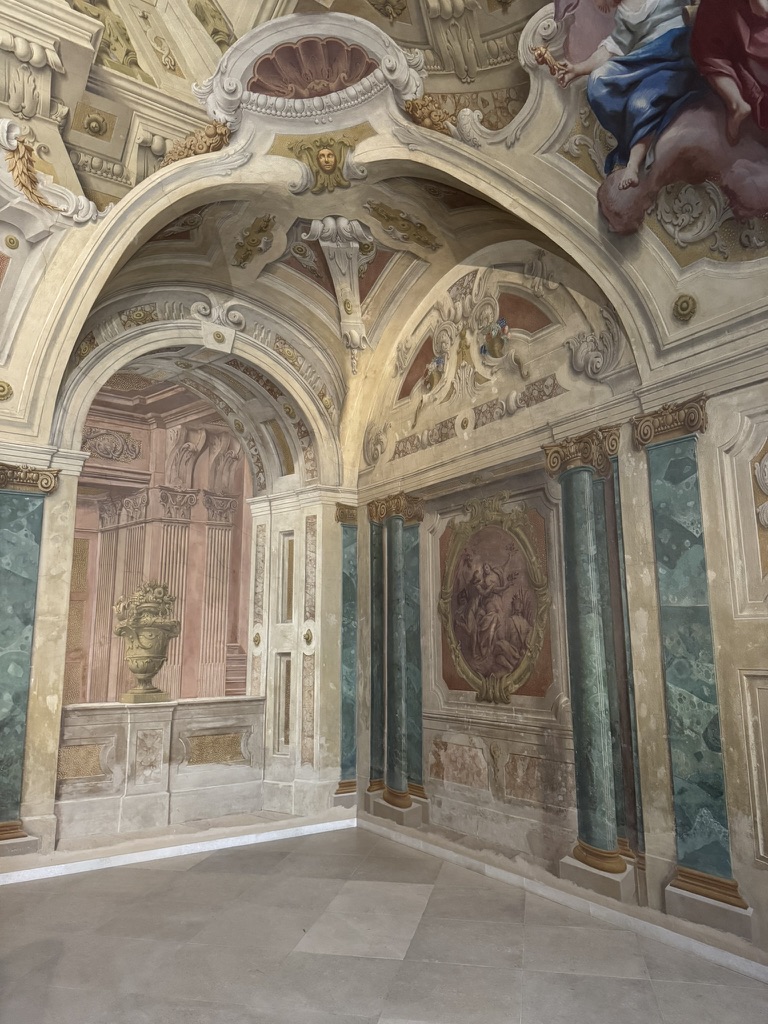
Painted walls at Belvedere Palace in Vienna. Taken by Gleicher in November 2025.
This example is a little less compelling, but makes it easier to see what is going on:
Painted walls at Belvedere Palace in Vienna. Taken by Gleicher in November 2025.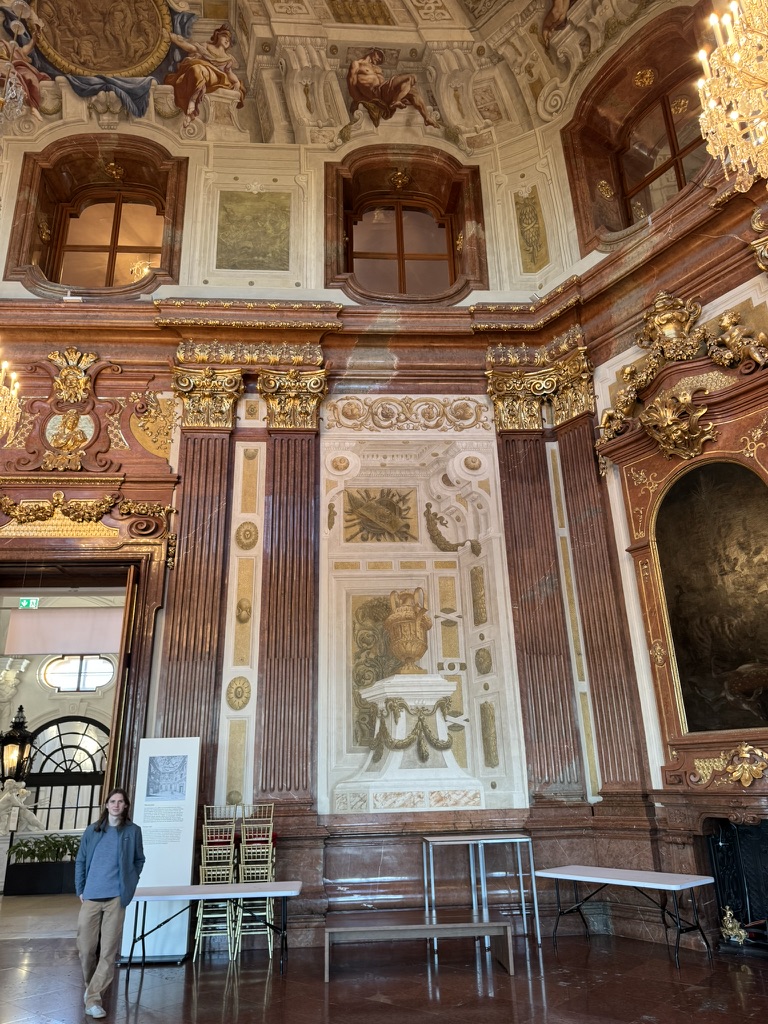
What’s happening in those pictures is very similar to what is happening in the spinning cube example. The spinning cube adds motion (which is also a strong depth cue).
3D Cues
There is a whole set of “3D Cues” - things in pictures that help our brains interpret them as 3D. These are important for us, because they are the things we need to program. This list is incomplete and simplified. The effects are additive; not all pictures have all of these. If you’re missing one cue, you can sometimes make up for it by strengthening others.
- There needs to be a consistent 3D interpretation. The image must correspond to some 3D scene the brain can imagine.
- Occlusion - closer objects block farther objects
- Perspective - things get smaller as they are farther away
- Parallax - when things move, they change shape and position because of the changing viewpoint
- Familiar Size - if we know the size something should be, we can estimate how far it is by how big it appears
- Relative Size - we can compare the sizes of objects to see how far we expect them to be
- Lighting (shading) - things that are facing the light more directly are brighter
- Lighting (global) - interactions between objects (shadows and reflections) can tell us about where they are in space
- Texture and Pattern - small details can help us interpret depth
- Long Distance Effects - there are things that happen at very long distances (Horizon Elevation, fog, etc.)
Now we can ask, what makes the spinning cube 3D?
- It is a consistent 3D object (it has the geometry of a cube).
- The back is smaller than the front (this is subtle). This combines perspective and relative size.
- The parts of the cube that are closer to us block the parts farther away.
- The lighting is consistent; faces that point toward the light (which is roughly above and to the right of where we are viewing from) are brighter than those that face other directions
For right now, we still haven’t done any fancy lighting (like shadows), or patterns. But, this initial list tells us what we need to do:
- We need to represent scenes (arrangements of objects) in 3D.
- We need to put things in the right place on the screen (mapping the 3D world to the positions that they would appear in the “window”) to achieve appropriate perspective
- We need to account for occlusion (closer objects block farther objects, unless they are transparent)
- We need to have lighting
Now, let’s see how an API can support us in doing that.
Next: Page 2 - Hello Triangle! (introduction to APIs)